Contact Information
D 203, NR Orchid Gardenia, Mestri Palya, St. Anns Church, Rachenahalli, Bangalore.
P.O.Box: 560077.
Have any Questions?
(+91) 9901765060
Mail us today
connect@ratocommunications.in

As a Chief Marketing Officer (CMO) or marketing leader at an SMB, you’re probably familiar with the scenario: a quick glance at the Google Analytics dashboard on a Monday morning shows Pageviews are up. Sessions are up. Average time on site looks… fine.
Yet, the most critical question remains unanswered: “Is our website genuinely helping the sales team close more deals?”
The traditional metrics often fail to provide this clarity.
The problem is that most web analytics tools are configured to measure activity rather than accountability. They show you traffic volume instead of revenue contribution. For an SMB investing heavily in campaigns, content, and website development, this blind spot is a major drain on resources.
The real challenge isn’t a lack of data, but a lack of time and a clear framework for identifying the right signals.
This article serves as a practical guide for SMB CMOs ready to abandon vanity metrics. We identify seven website metrics that directly correlate with pipeline generation and show you how to track them easily in Google Analytics 4 (GA4) without needing to become a full-time data analyst.
These metrics will help you determine a key strategic step: Does your current site just need optimization, or is it time for a fundamental overhaul of your entire web strategy and build?
If you already suspect the latter, you might want to keep Rato Communications’ High-Performing Website Development Services open as a reference while you read.
First, Retire the Vanity Dashboard
For too long, marketing success, particularly within the Small to Midsize Business (SMB) space, has been measured by vanity metrics. Traditional analytics tools made it incredibly easy to obsess over three things: Pageviews, Sessions, and Average Time on Site.
These metrics are not entirely useless, as they offer a basic measure of site activity and content consumption, but on their own they don’t provide the actionable answers an SMB CMO truly needs to justify budget and drive revenue growth.
The CMO’s mandate is clear: link website activity directly to sales pipeline. Therefore, the essential questions that must be answered by your analytics setup are:
- Pipeline Contribution: Which specific pages, content pieces, or resources consistently show up in customer journeys that ultimately end in a new qualified opportunity or closed-won deal?
- Intent Quality: Which marketing campaigns, across paid search, social, or email, actually drive high-intent, sales-qualified visits, not just general clicks that bounce quickly?
- Conversion Friction: Where are qualified prospects (identified by job title, firmographic data, or early engagement) falling out of our simple conversion funnel (e.g., from case study download to demo request)?
The introduction of Google Analytics 4 (GA4) represents a significant and necessary shift towards answering these critical pipeline questions. Unlike its predecessor, GA4 is fully event-based: everything a user does, from a pageview to a form submission, a video play, a scroll depth, or a button click, is treated as a distinct, measurable event.
This architecture allows an SMB CMO to move beyond broad traffic numbers and define the handful of events and custom metrics that truly prove whether your website is actively contributing to sales pipeline growth. It enables the definition of granular micro-conversions (like downloading a pricing guide) and macro-conversions (like completing a demo request) and tracking those events through the entire user journey.
The focus is no longer on how many people visited, but what sales-critical actions those people took.
Let’s walk through the seven metrics that matter most for your bottom line and how the event-based model empowers you to track them effectively.
The 7 Website Metrics That Actually Matter for Pipeline Growth
These metrics are actionable, easy to implement in most cases, and directly tied to generating qualified leads and opportunities.
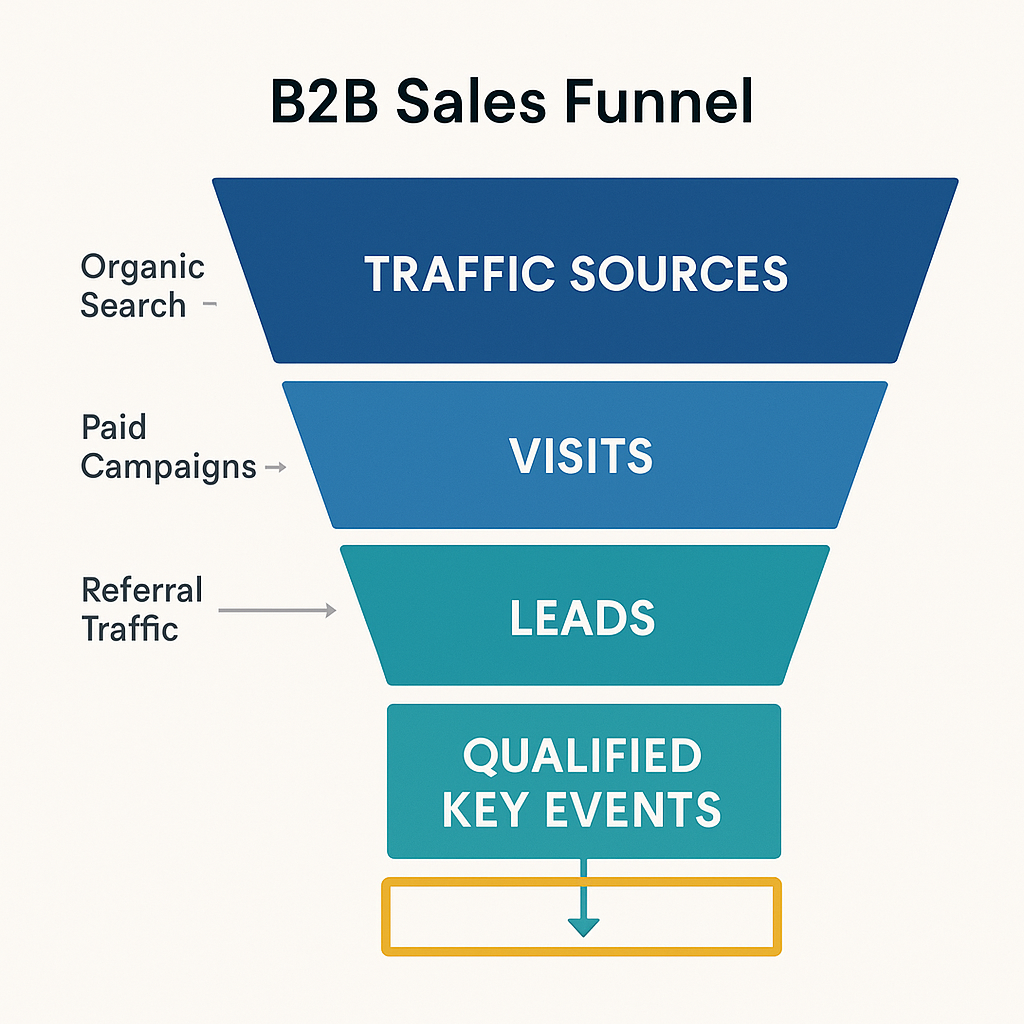
1. Volume and Quality of Pipeline-Generating “Key Events”
If an SMB CMO were forced to track only one category of website metric, it must be Commercial Intent Key Events, the specific, high-value actions that clearly signal a user’s readiness to engage in a sales discussion or transaction. For most B2B SMB websites, this intent manifests in a few critical ways:
- “Talk to Sales” or “Request Pricing” Form Submissions: These are the clearest indicators of an immediate commercial need.
- Demo or Consultation Requests: Users seeking a personalized demonstration or expert advice are firmly in the evaluation stage.
- High-Intent Contact Forms (e.g., “Tell Us About Your Project,” “Request a Proposal”): Contact forms that require specific detail about a user’s business challenge or project budget typically filter out low-quality leads.
- Asset Downloads Paired with Qualification Questions: While not purely commercial, an asset download (like a pricing guide or implementation checklist) where the user provides detailed qualification data often precedes a sales conversation.
For a small to mid-sized business with finite resources, the rationale for prioritizing these events is straightforward:
- Focus on Pipeline, Not Vanity: CMOs must know exactly how many people took a measurable step that could reasonably end in a closed deal, rather than simply tracking the volume of general site visitors. A high traffic volume is meaningless if none of that traffic converts into potential revenue.
- Effective Budget Allocation: Tracking commercial intent events by their originating marketing channel (e.g., Paid Search, Organic Social, Email) makes it simple to execute the most critical function of an SMB CMO: deciding where to allocate a limited marketing budget for maximum ROI. Channels driving high-intent conversions deserve more investment; those only driving passive traffic should be reassessed.
Making Key Events Actionable in GA4:
To leverage this data, a disciplined process within Google Analytics 4 (GA4) is essential:
- Define and Agree on Key Events: Work with the Sales and Marketing teams to define a concise set of 2–4 unequivocal key events. Examples include demo_request, contact_qualified, or proposal_download. This alignment ensures everyone is working toward the same goal.
- Configuration in GA4: In the GA4 Admin panel, the defined events must be formally marked as Key Events (the GA4 term for what was previously called “Conversions”). This designation elevates these specific actions across all standard reports.
- The Monthly Channel Review: The primary review activity should be centered on the Traffic Acquisition report. CMOs must shift their focus from the “Users” or “Sessions” column to the “Key Events” or “Conversions” column for each channel. This monthly ritual provides the empirical evidence needed to justify budget shifts and strategic decisions.
It is critical to understand that if the current website architecture fails to guide visitors toward clear, unambiguous, and trackable commercial actions, the problem is not merely a gap in analytics configuration. The core issue lies with the underlying User Experience (UX) and site architecture. A good analytics strategy can only measure conversions that a good website architecture is designed to generate.
2. Conversion Rate on High-Intent Pages: The Revenue Engine Metric
While top-of-funnel traffic metrics provide a good vanity score, the Conversion Rate on High-Intent Pages is the crucial metric that directly translates marketing effort into pipeline and revenue. Every small to mid-sized business (SMB) website possesses a handful of pages, the “money pages”, whose explicit purpose is to prompt a commercial action, such as requesting a demo, starting a free trial, or initiating a consultation.
These critical high-intent pages typically include:
- Core Service or Product Pages: Detailed pages outlining your primary offerings, features, and benefits.
- Pricing or “How We Work” Pages: Pages where potential customers evaluate the investment and engagement model. These pages often mark the final decision-point before conversion.
- Strategic Landing Pages: Pages created for specific campaigns (e.g., paid search or email marketing) that offer a highly targeted value proposition.
- Case Study or “Proof” Hubs: Content that builds trust and validates your expertise by showcasing successful client outcomes and social proof.
This metric is the ultimate litmus test for the effectiveness of your most commercially-focused content and user experience (UX). It answers a fundamental business question: Is your strongest marketing material successfully persuading qualified visitors to take the next step toward becoming a customer?
A web development or content investment that results in a service page with substantial traffic but a near-zero conversion rate represents a critical, silent leak in your marketing funnel. This failure to convert high-intent traffic means you are wasting marketing spend (traffic acquisition) and losing out on potential sales opportunities. Identifying and immediately fixing these leaks is paramount for maximizing the ROI of your website. A CMO must view a low conversion rate on a money page not as a minor issue, but as an urgent commercial problem.
To leverage this metric for immediate commercial impact, follow a structured, data-driven approach:
- Identify and Prioritize: Clearly delineate your top 5–10 pages that represent the highest commercial intent (i.e., the pages leading directly to the primary call-to-action).
- Precise Tracking with GA4: Utilize the Exploration Reports feature within GA4 to gain granular insights. Track the Key Event Rate (which GA4 uses for conversion rate) for visitors originating from each specific page path. This allows you to isolate performance by page.
Benchmark Note: For B2B websites, a conversion rate on these specific high-intent pages typically ranges between 2% and 5%. Use this as an initial benchmark, but always strive to beat your own historical best. - Comparative Analysis for Optimization: Compare the conversion performance across your high-intent pages. For example, determine if your “Website Development Services” page converts demo requests better or worse than a more generic page like your “About Us” page.
- Focused Resource Allocation: Use this comparative data to strategically focus your limited resources. The page with the highest traffic and lowest conversion rate should receive immediate attention for UX testing, messaging refinement, and Call-to-Action (CTA) placement optimization. This ensures that your content and design efforts are concentrated where they will yield the biggest commercial return.
If a thorough analysis reveals that your critical high-intent pages are not converting, perhaps they lack clarity, persuasiveness, or a robust structure, it is time for a foundational review. Consult best practices for modern service-based sites, which often involve a major reassessment of the user journey, messaging hierarchy, and technical SEO elements.
3. Content-Assisted Opportunities (Multi-touch Attribution)
Not every valuable website visit culminates in an immediate conversion, such as a form submission or a demo request. In the B2B landscape, purchasing decisions are complex, involve multiple stakeholders, and inherently take time. A prospect’s journey rarely follows a single, straight line.
The typical path a future customer takes often looks more like this:
- Initial Discovery (Awareness): A potential buyer, facing a business problem, searches on Google and finds a highly relevant, top-of-funnel blog post published by your company. This is the first touchpoint.
- Research and Exploration (Consideration): They are intrigued and read the original blog, then follow internal links to several other related articles or case studies on your site. This reinforces their trust and positions your company as a thought leader.
- Conversion (Decision): A week or two later, the prospect returns directly to your website (a direct visit, perhaps from a bookmark) and fills out a “Contact Sales” or “Request a Demo” form, finally converting into a sales-qualified lead (SQL).
If your analytics system is configured to only grant credit to the last touchpoint—in this case, the direct visit—you are fundamentally underestimating and devaluing the critical role that the initial blog post and subsequent content consumption played in nurturing the lead and moving them through the funnel. This is the core reason for tracking Content-Assisted Opportunities.Why This Metric is Essential for an SMB CMO
For a Small-to-Midsize Business (SMB) with a typically limited marketing budget and a small team, this metric is a powerful tool to justify and optimize your content marketing investment.
- Justification: “Content-assisted opportunities” represent concrete deals, pipeline value, or closed revenue where one or more pieces of informational content (blogs, whitepapers, guides) appeared in the user’s history before the final, high-intent action (like a demo request or contact form submission). This directly proves that your content is not just generating traffic but is actively contributing to the sales pipeline.
- Proof of ROI: When tracked accurately, this metric counters the perception that content marketing is a “soft” activity. Since 49% of marketers globally believe organic search (a direct byproduct of content) is their most profitable channel, this metric provides the empirical data needed to prove that ROI.
- Optimization: Seeing precisely which blog posts, resource pages, or guides appear most frequently as the assist touchpoints helps you double down on successful topics. You can prioritize creating more content in those high-performing clusters and strategically update your existing assets, ensuring you are investing your limited time and money where it will have the maximum impact on moving prospects down the funnel.
This metric moves from an interesting data point to an invaluable tool when you take specific actions based on the insights:
- Leverage GA4 Path Exploration: Utilize the powerful Path Exploration reports within Google Analytics 4 (GA4). These reports are specifically designed to visualize and analyze user journeys across your site. By setting your ultimate “Key Event” (e.g., “Demo Requested”) as the final node, you can clearly see which non-conversion pages (your content assets) commonly and consistently appear in the sessions that eventually lead to that key event.
- Internal Content Tagging: Internally tag or categorize these high-assisting content pieces in your Content Management System (CMS) and analytics as “assist content.” This formalizes their role and allows for easier reporting and tracking.
- Optimize Internal Linking: The goal is to tighten the user journey. Ensure that your identified “assist content” pages have strong, contextually relevant internal links pointing directly to your high-intent service pages (pricing, contact, demo request). These links should be prominently placed and use compelling anchor text to encourage the prospect to take the next, lower-funnel step when they feel ready.
- Gated Content Strategy Review: If specific whitepapers or resource guides consistently appear as assist content, consider whether you should adjust their position in the funnel, perhaps keeping them ungated to increase the initial awareness and assistance, and only gating the highest-value, deepest-funnel assets.
4. Performance of Paid Landing Pages (Engagement Rate)
When an SMB invests in paid advertising channels like Google Ads or LinkedIn Ads, the resulting landing pages are the critical point where that investment is either multiplied into profitable pipeline or quietly wasted. For a small to mid-sized business with finite resources, paid acquisition is inherently expensive, making the pursuit of efficiency the single most important objective. Every fraction of a point increase in conversion or engagement rate directly translates to a lower effective cost per lead and a faster return on ad spend (ROAS).
While Cost Per Click (CPC) is a necessary operational metric for budgeting, it is fundamentally insufficient for optimizing pipeline generation. The true metric of performance for an SMB’s ad budget is the Cost Per Qualified Key Event from each individual campaign, ad group, and keyword.
A high-CPC keyword is perfectly acceptable if it yields a low cost per qualified lead, indicating high buyer intent. Conversely, a low-CPC campaign that fails to generate qualified actions is a drain on resources. By focusing on Cost Per Qualified Key Event (e.g., a form fill, a demo request, or a product brief download), the CMO gains the intelligence needed to optimize their limited ad spend—redirecting budget from campaigns that generate clicks to campaigns that generate pipeline.
Measuring Landing Page Performance in GA4
To properly optimize paid spend, the CMO must dive into the specific behavioral data tied to their paid traffic in Google Analytics 4 (GA4).
GA4 Reporting Path | Metric Focus | Operational Insight |
Traffic Acquisition Report, Segmented by Paid Traffic | Engagement Rate | This metric, which replaces the outdated “Bounce Rate,” is paramount. GA4 defines engagement as a session that lasts longer than 10 seconds, has a conversion event, or has two or more page views. A low Engagement Rate is a major red flag, signifying that the business is paying for high-intent traffic only for those visitors to immediately exit the landing page. |
User & Tech Details Report | Average Load Time/Device Breakdown | This ties directly into engagement and conversion. Industry data consistently shows that websites loading in one second convert nearly three times better than those that take five seconds. Sluggish performance, especially on mobile devices (where most paid clicks originate), cripples ROI. |
Conversions Report | Conversion Rate per Campaign | The ultimate measure. This must be tracked against the specific campaign IDs to understand which creative, targeting, and keyword combinations are most effective at driving the desired key event. |
Actionable Insight: Diagnosing and Fixing Low Engagement
A low Engagement Rate is not a statistical anomaly; it is a clear indicator of a critical mismatch between the promise made in the ad copy and the experience delivered on the landing page.
This diagnosis necessitates an immediate, focused website development sprint with the following objectives:
- Clarify the Value Proposition: The landing page copy must immediately and unequivocally validate the user’s click. The headline should mirror the ad copy’s core promise.
- Simplify the Conversion Path: Minimize cognitive load. Remove unnecessary navigation, links, and distractions. Simplify the lead capture form—requesting only the absolute minimum information required for qualification.
- Improve Site Speed: Optimize images, leverage browser caching, minimize JavaScript and CSS, and ensure the hosting environment is robust. This is not a technical detail; it is a foundational component of conversion strategy.
If these individual page optimizations are ineffective, the problem may be systemic. If the site’s underlying technical architecture is consistently limiting landing page performance, it is time to sanity-check those deeper assumptions against strategic evaluations, such as assessing if it’s time to re-evaluate the performance of the incumbent web development partnership.
5. Form Performance and Drop-Off
In the business-to-business (B2B) landscape, the ubiquitous lead form is the critical bridge, the single, most important threshold that transforms an “interested visitor” into a potential “real conversation.” If this bridge is poorly constructed, shaky, or riddled with obstacles, you are essentially forfeiting valuable pipeline opportunities every single day.
For a Small-to-Midsize Business (SMB), the stakes are profoundly higher. Every single lead matters; losing a potential customer to a poorly designed form can be a significant blow to quarterly goals. The Form Completion Rate allows you to scrutinize the efficacy of this crucial bridge by comparing two figures: the number of people who start a form versus the number of people who successfully complete and submit it.
A high drop-off rate, meaning many users start but abandon the process, is a direct, undeniable signal of friction. This friction can manifest in several ways:
- Excessive Field Count: Too many required fields overwhelm the user.
- Ambiguous or Invasive Questions: Confusing terminology or requests for sensitive/unnecessary personal data.
- Poor User Experience (UX): Technical issues, non-responsive design, or a complex multi-step process.
The Data Backs This Up: A seminal study conducted by HubSpot demonstrated the power of simplification: they found that conversion rates could increase by as much as 47% simply by reducing the number of form fields (for instance, dropping from four fields to just three).How to Measure and Track in Google Analytics 4 (GA4)
GA4 provides powerful, visual tools to diagnose this friction point, moving beyond simple conversion rates to map the user journey with precision.
- Leverage the Funnel Exploration Reports: This is the ideal tool for visualizing the form completion process.
- Establish a Granular Funnel Path: Set up a minimum three-step funnel to pinpoint the drop-off:
- Step 1: View Form Page (User loads the page containing the form).
- Step 2: Click on First Field (User interacts, showing intent to start the process).
- Step 3: Successful Submission (The conversion event, confirming form completion).
- Analyze the Funnel Visualization: Scrutinize the report to identify the most significant reduction in users between any two consecutive steps. This is the friction point that requires immediate attention.
The data gathered from your Funnel Exploration must translate into immediate development work. This is where the highest-ROI optimization tasks are often discovered.
Reducing form friction, streamlining the process, minimizing required data fields, and ensuring excellent mobile UX, is consistently one of the highest ROI website development tasks you can perform to directly impact your sales pipeline.
6. MQL-to-SQL Conversion Rate by Source
Counting simple form fills is the bare minimum; qualifying those leads is the essential next step that separates marketing activity from actual revenue generation. As an SMB Chief Marketing Officer (CMO), your ultimate goal is not just lead volume, but lead quality. Therefore, you must rigorously track how many leads generated from your website successfully navigate the qualification funnel, from a raw lead to a Marketing Qualified Lead (MQL), then to a Sales Qualified Lead (SQL), and finally, to an actual customer opportunity.
This metric shifts your website’s accountability from simply being a traffic or lead generation tool to a foundational pillar of your revenue engine. It forces you to evaluate the true economic impact of your digital presence.
- The Flaw in Volume-Only Tracking: If your website generates 30 leads a month but zero ever meet the criteria to become an MQL (e.g., they don’t fit the ideal customer profile or their stated need is too vague), your fundamental targeting strategy, site messaging, or lead nurturing process is deeply flawed. The effort spent acquiring those 30 leads is wasted, and you risk straining the relationship between marketing and sales.
- The Power of Inbound: Data consistently shows that leads generated through organic inbound channels, such as SEO and valuable content marketing, convert to paying customers at a significantly higher rate, often around 15%, far surpassing the typical close rate often observed from traditional, disruptive outbound strategies (e.g., cold calling). This metric validates and champions your investment in content and organic search.
Achieving accurate conversion tracking requires a robust, integrated technology stack. This is non-negotiable for modern SMB marketing.
- CRM-Analytics Integration: The most crucial step is ensuring a seamless, bi-directional integration between your CRM (e.g., HubSpot, Salesforce, Pipedrive) and your website analytics platform (e.g., Google Analytics 4).
- Source Attribution via Hidden Fields: To maintain the vital link between the lead’s website activity and their eventual qualification status, use hidden form fields. These fields capture the exact traffic source (e.g., Google Organic, Paid Search – Campaign X, LinkedIn Referral) and campaign details and pass them directly into your CRM record upon form submission. This allows you to report on which source delivered the MQL, not just the raw lead.
- Establish Clear Qualification Definitions: Marketing and sales must agree on strict, auditable definitions for MQL and SQL.
- MQL: (e.g., A lead who downloaded a bottom-of-funnel asset, has a B2B email domain, and has a job title matching our ICP).
- SQL: (e.g., An MQL that has been accepted by sales, had a discovery call, and has a defined project need and timeline).
The true value of this metric is its ability to direct resource allocation.
- Prioritize High-Conversion Channels: Track which traffic sources (Organic Search, Referral, Paid Social, Email) produce the highest MQL-to-SQL rates. If leads from organic search or a specific niche industry directory qualify and close better than leads from a generic paid social campaign, immediately focus your content strategy and budget disproportionately on fostering that high-performing organic growth.
- Identify Message-Funnel Gaps: A low MQL conversion rate from a high-volume source (e.g., 500 leads from a campaign, but only 2 MQLs) indicates a misalignment between your offer and your audience. The messaging on your landing page or the offer itself is attracting the wrong audience. Use this data to iterate on your ad copy, landing page content, and lead magnets.
7. Lead Velocity Rate (LVR) Growth from Organic Channels
The Lead Velocity Rate (LVR) is a crucial metric that quantifies the month-over-month (MoM) growth rate of your Marketing Qualified Leads (MQLs). It is not just a measure of how many leads you are getting, but how fast that number is accelerating.
For a growing Small to Mid-sized Business (SMB), LVR from organic channels is the most reliable indicator of a sustainable, long-term pipeline engine. Relying solely on paid acquisition channels can be prohibitively expensive and creates a dependency that is difficult to scale profitably. Organic growth, fueled by content and technical SEO, acts as an appreciating asset. A consistently increasing organic LVR demonstrates that your digital foundation is solid and that your investment in non-paid strategies is yielding exponential, not merely linear, returns. You need to see the speed at which you generate MQLs increasing over time to confidently project future revenue based on content strategy.
The Volatility and Importance of Diversification:
While foundational, B2B organic lead volume is susceptible to external factors, primarily search engine algorithm updates and shifting market dynamics. For instance, a notable industry study in 2025 highlighted significant instability, reporting a 47% drop in organic leads for some B2B companies between January and October. This volatility underscores a critical lesson: while maximizing organic LVR is vital, it must be monitored closely and never be the sole source of lead generation. A healthy marketing mix diversifies lead sources, ensuring that a drop in one channel doesn’t cripple the entire pipeline.
How to Accurately Measure and Track Organic LVR:
Measuring organic LVR requires a blend of data from two core platforms:
- CRM Data (Customer Relationship Management): This is the single source of truth for the MQL count. Your CRM must accurately tag each MQL with its original source channel (i.e., “Organic Search”). The calculation involves taking the total MQLs generated from organic sources this month, subtracting last month’s count, dividing by last month’s count, and multiplying by 100 to get a percentage growth rate.
- Formula: (Organic MQLs This Month – Organic MQLs Last Month) / Organic MQLs Last Month * 100
- GA4 (Google Analytics 4): GA4 provides essential context by tracking organic traffic trends (sessions, engagement, conversions). A high organic LVR should ideally be supported by a corresponding increase in qualified organic traffic. If LVR is rising but organic traffic is flat, it suggests an improvement in on-site conversion rate (CRO), which is a positive sign but may indicate a need to focus next on scaling traffic volume.
Actionable Insight for the CMO:
- Positive Acceleration: A healthy, accelerating LVR from organic channels is the ultimate validation of your current investment in both technical SEO and content strategy. It justifies further scaling of these budgets.
- Stagnation or Decline: If the LVR from organic channels stagnates or declines, it is a flashing red signal. This mandates an immediate and comprehensive re-evaluation. You must revisit your SEO fundamentals, which often involves engaging in a comprehensive website development audit. This audit must look beyond basic content to ensure your site architecture, page speed, mobile responsiveness, internal linking structure, and core web vitals are all optimally configured for search engine performance. A technical flaw can cap your organic LVR, regardless of how excellent your content is.
From Analytics to Action: Your Next Step
Stop focusing on vanity metrics that only satisfy curiosity and start prioritizing pipeline metrics that actually drive revenue. By implementing the seven key metrics we’ve discussed, you can make data-driven decisions that directly enhance your sales funnel.
If your current website performance data reveals significant issues, such as friction points, low conversion rates, or a lack of qualified leads, you need more than a simple reporting adjustment. It’s time to take decisive action.
We recommend a professional, data-driven high-performing website development and content strategy audit. Our team specializes in translating complex GA4 data into concrete, actionable website enhancements designed to capture demand and accelerate pipeline growth specifically for SMBs.
Are you ready to transform your website into a dependable revenue engine? Contact Rato Communications today. Schedule your initial consultation to discover how a strategic approach to website development can fundamentally improve your pipeline metrics.